
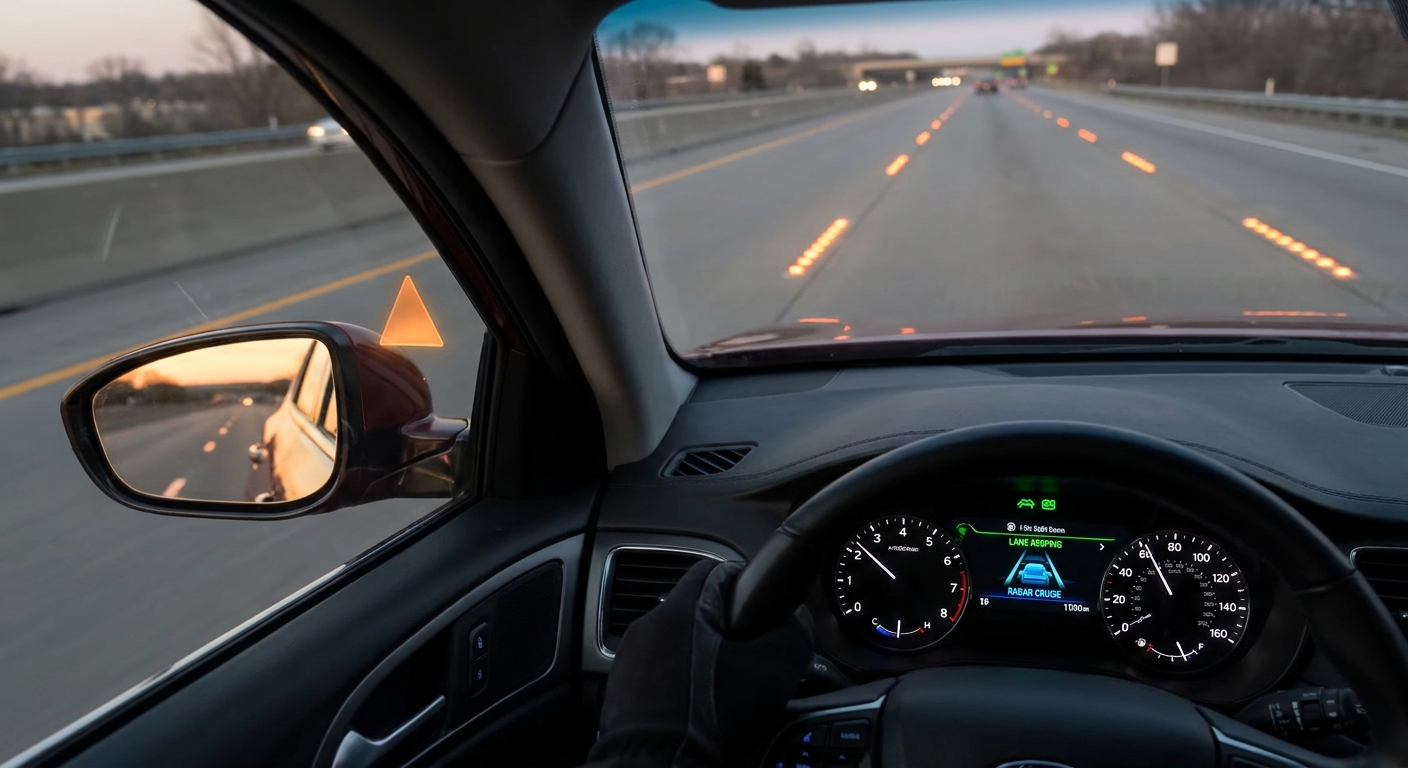
Advanced Driver Assistance Systems (ADAS) are the safety features quietly running in the background while you drive: things like lane-keeping assist, adaptive cruise control, blind-spot monitoring, and automatic emergency braking.
What Is ADAS and Why Should You Care?
They’re not self-driving, and they’re not magic. Think of them as extra senses and reflexes, not a replacement for your own.
Used well, ADAS can reduce fatigue, help you avoid crashes, and make long drives less stressful. Used badly, it can lull you into overconfidence or just annoy you until you switch it all off.
Here’s how to use ADAS like a pro in real-world driving.
1. Know Exactly What Your Car Can (and Cannot) Do
Not all systems are created equal. Two cars with “lane assist” stickers on the brochure can behave very differently.
Start with your car’s specific tech:
Identify your features
- Look up your exact trim level and model year online or in the manual. - Make a quick list: - Adaptive cruise control? - Lane departure warning? - Lane-keeping assist or lane-centering? - Blind-spot monitoring? - Rear cross-traffic alert? - Automatic emergency braking?
Learn the activation symbols
- Sit in the car with it in Park and cycle the systems on and off. - Memorize the dash icons for: - When the system is available - When it’s actively working - When it’s warning or temporarily disabled
Check the limits
- Most lane systems need clear lane markings and struggle in heavy rain or snow. - Many adaptive cruise systems won’t stop for stationary objects at high speed. - Some auto braking works only at city speeds.
Experience-based advice:
Do a test drive on a quiet road just to feel how each system behaves. Let it intervene once or twice so you’re not surprised when it nudges the wheel or applies the brakes in real traffic.
2. Use Adaptive Cruise Control to Reduce Fatigue, Not Attention
Adaptive cruise control (ACC) automatically adjusts your speed to match traffic ahead. When used wisely, it makes highway driving smoother and less tiring.
How to get real benefits from ACC:
Choose a realistic following distance
- Set your gap a bit longer than you think you need, especially in heavy traffic. - Longer distance = fewer sudden interventions and less yo‑yo braking.
Treat it like a very polite assistant, not a chauffeur
- Keep your foot hovering near the pedals in busy traffic. - If the system reacts too late for your taste, step in early with gentle braking.
Watch for odd behavior at low speeds
- Some systems handle stop‑and‑go beautifully, others get jerky under 20 mph. - If your car constantly slams brakes in city traffic, use ACC mainly above city speeds.
Know your cancel habits
- Use tap brake or toggle off instantly when things look messy ahead (merging lanes, aggressive drivers, dense construction zones).
Rule of thumb: If you wouldn’t be comfortable using regular cruise control in the current conditions, don’t rely heavily on adaptive cruise either.
3. Set Up Lane Assistance So It Helps, Not Fights You
Lane assist systems range from gentle nudges to full lane-centering that tries to steer for you. When poorly configured, they can feel like you’re fighting a ghost driver.
Practical setup:
Start in warning-only mode (if available)
- Begin with lane departure warning only (beeps or steering wheel vibration). - Once you’re comfortable, add steering assistance and see how it behaves.
Adjust sensitivity
- If the system nags constantly on narrow or poorly marked roads, lower the sensitivity or turn off steering assist on those drives. - Keep it on for highways, where it shines.
- Hands stay on the wheel. Period.
- Even strong lane-centering can lose the lane on worn paint or tight curves.
- Rest your hands lightly but firmly, ready to override at any time.
Learn the “out of service” signs
- Most systems show a greyed-out icon or warning when they lose track of the lane. Don’t assume it’s always working.
Experience-based tip:
If you find yourself fighting the wheel often, switch to warning only and use it as an alert system instead of a steering partner. Annoying tech you turn off is less useful than simple tech you actually keep on.
4. Make Blind-Spot and Parking Tech Part of a Routine, Not a Crutch
Blind-spot monitors, parking sensors, and cameras are some of the most directly useful ADAS features for everyday drivers—if you use them correctly.
Best real-world habits:
Blind-spot monitoring
- Use it as a second check, not your only check. Still shoulder-check before lane changes. - If every light or beep makes you jump, change brightness/volume rather than turning it off.
Rear cross-traffic alert
- Excellent in crowded parking lots, especially with big SUVs. - Roll back slowly so the system has time to see cross-traffic and warn you.
Cameras and parking sensors
- Use top-down/360° views to see curbs and low obstacles, but don’t stare at the screen the whole time. - Alternate quick glances between mirrors, camera, and the actual environment.
Clean the sensors
- If your car lives through winters or dirt roads, wipe off cameras and radar panels occasionally. - False beeps or disabled messages often come from simple grime.
Practical rule:
Mirrors and head checks first, tech second. Treat alerts as bonus information, not the only information.
5. Set Your Own Safety Philosophy and Adjust the Tech to Match
The most important step isn’t learning menus; it’s deciding how you want to drive, then tuning the systems around that.
Questions to ask yourself:
Do I prefer more alerts and occasional annoyance, or fewer alerts and more responsibility on me?
- If you’re easily distracted, lean toward more alerts. - If constant beeping stresses you, focus on core safety features (auto braking, blind-spot, rear cross-traffic) and tone down the rest.
Where do I drive most?
- Mostly highways: prioritize adaptive cruise, lane assist, blind-spot. - Mostly city: prioritize auto braking, pedestrian detection, rear camera, and cross-traffic.
Who else uses the car?
- If a less experienced driver shares the car, keep baseline safety systems always on and explain what each does.
Concrete approach:
- Keep automatic emergency braking and blind-spot monitoring on as default.
- Use lane assist and adaptive cruise as tools you turn on when conditions are good.
- Revisit your settings after a few weeks and adjust based on what actually helped vs. what just annoyed you.
Final Thoughts: Use Tech as Training Wheels for Better Habits
When you treat ADAS as backup for your own good habits—checking mirrors, keeping distance, staying focused—it can save you from the rare mistake.
If instead you let it replace your habits, you’re trusting software that was never designed to fully drive for you.
Know what your car can do, test it when the stakes are low, tune the alerts to your style, and treat every beep and nudge as feedback to become a smoother, safer driver. That’s how you get the most from modern driving tech without losing the simple joy of being in control.