
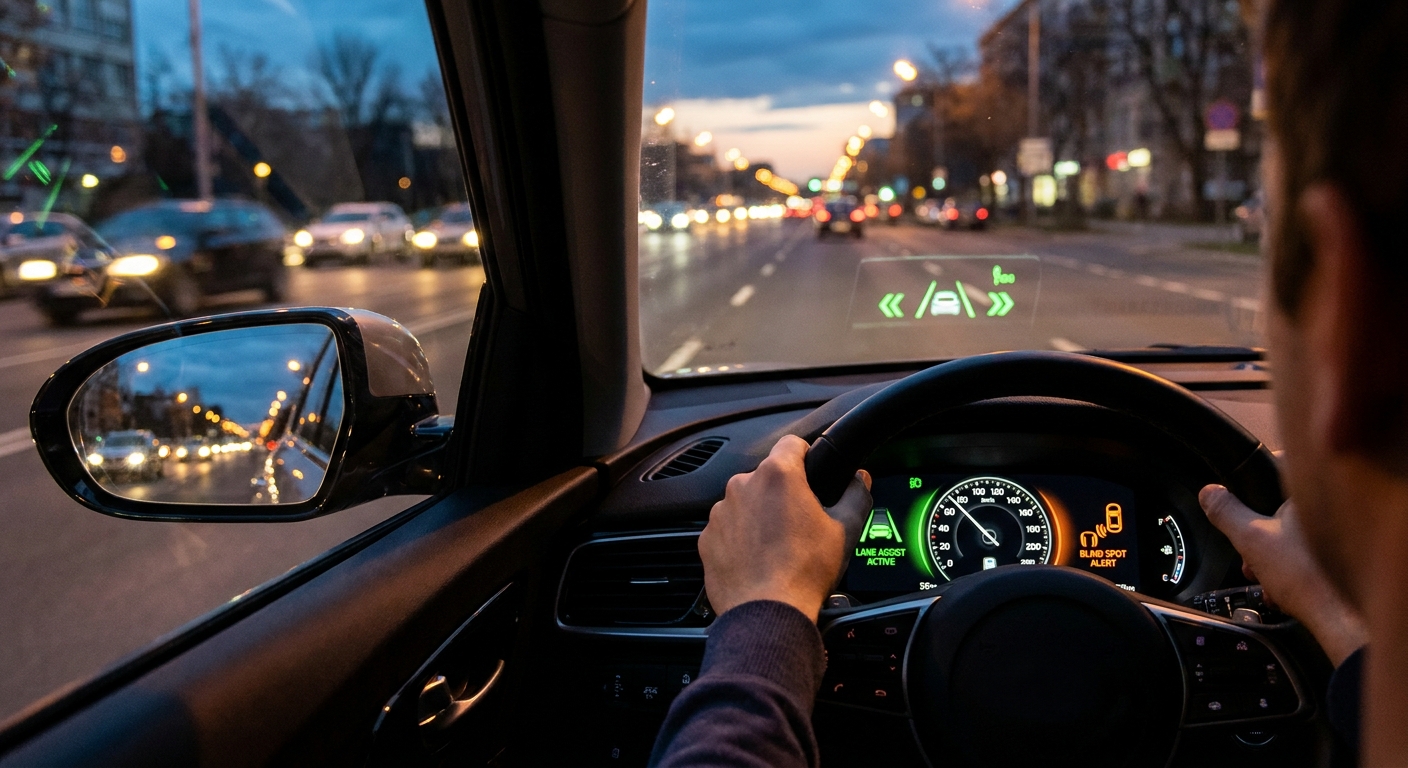
When people talk about “driving tech,” it often sounds like a showroom buzzword: driver-assistance, connectivity, smart this, adaptive that. But for everyday drivers and weekend enthusiasts, the real question is simpler:
Why Driving Tech Matters More Than You Think
Which features actually help me drive better, safer, and with less stress?
Modern cars pack in more systems than most owners ever bother to learn. That’s a shame, because used well, these tools can reduce fatigue, sharpen your awareness, and save you from expensive mistakes. Used poorly (or blindly trusted), they can build bad habits.
This guide breaks down five key areas of driving tech with practical, real-world tips—not just what the brochure says, but how it feels on the road.
1. Driver Assistance Isn’t Autopilot: How to Use It Without Going Numb
Most newer cars offer some mix of adaptive cruise control (ACC), lane keep assist (LKA), and automatic emergency braking (AEB). Together, these are often marketed as semi-autonomous driving.
The truth: they’re powerful assistants, not replacements for your brain.
How to Get Real Value From ACC and Lane Keep
- Use ACC to manage fatigue, not attention. On long freeway drives, set adaptive cruise slightly below your usual speed. Let it handle the micro-adjustments while you focus on traffic patterns, road conditions, and escape routes.
- Treat lane keep like a coach, not a chauffeur. If your lane keep nudges the wheel a lot, that’s feedback. You may be hugging one side of the lane, distracted, or over-correcting. Aim for smooth steering that barely triggers the system.
- Practice in low-stress conditions first. Early morning highway with light traffic is ideal. Avoid turning everything on for the first time in heavy rain or rush hour.
Watch for These Common Bad Habits
- “Set and forget” mentality. Tech can make you too comfortable. If you’re surprised when ACC brakes, you’re not scanning far enough ahead.
- Lane keep ping-ponging. If you’re bouncing between lane lines with constant correction, you’re relying on the car to do basic steering. Ease your grip, look further ahead, and steer with gentle, continuous inputs.
Used properly, driver assistance can sharpen your awareness by delegating routine tasks so you have more mental bandwidth for strategic decisions.
2. Camera & Sensor Systems: Turning Gadgets Into an Extra Set of Eyes
Modern cars surround you with sensors: backup cameras, 360° views, blind-spot monitors, parking sonar. They can be game-changing if you learn their strengths and limits.
Get to Know Your Car’s “Field of Vision”
Spend 10 minutes in an empty parking lot:
- Test your rear camera distance. Place an object (like a cone, box, or even a backpack) behind the car.
- Reverse slowly until it’s at the edge of the display.
- Get out and physically see how much space is really left.
- Do the same for front and side cameras if you have them.
- Note the blind spots: where the camera view ends but the car still has space.
You’ll start trusting the calibrated feel rather than guessing.
Combining Mirrors, Cameras, and Sensors
Think of your tools this way:
- Mirrors = big picture. Use them to understand lane position, fast-approaching vehicles, and overall traffic.
- Cameras = precision. Use them for tight maneuvers—parking close to a wall, aligning with a curb, backing into a spot.
- Sensors = last line of defense. Beeps and warning lights are there to catch what everything else missed.
Concrete habit: when parking, pick a primary (mirrors + camera, or mirrors + sensors) and use the others as backup—not all three at equal volume. Too many competing signals can actually confuse you.
3. Traction, Stability & Drive Modes: Letting the Car Help Without Killing the Fun
Traction control (TC), electronic stability control (ESC), and selectable drive modes are some of the most quietly impactful technologies in your car.
Stability Systems: Friend, Not Fun Police
- ESC helps keep the car pointed where your steering says it should go when grip is limited (wet, icy, gravel).
- TC limits wheelspin to prevent you from wasting traction.
For daily driving, leave both on. The rare times you might reduce or disable them:
- Getting unstuck from deep snow or mud
- Closed-course driving where you understand the risks and have room to recover mistakes
A good rule: if you don’t know exactly why you’re turning them off, don’t.
Making Sense of Drive Modes
Most cars offer modes like Eco, Comfort, Sport, and sometimes individual/custom.
What they typically change:
- Throttle response: Sport feels sharper; Eco feels lazier to save fuel.
- Steering weight: Heavier in Sport, lighter in Comfort.
- Transmission behavior: Sport holds gears longer for more power; Eco upshifts early.
Practical strategy:
- Commute in Normal/Comfort. Less tiring, more predictable.
- Use Eco in steady highway cruising. Once at speed, sharper throttle isn’t doing much for you anyway.
- Use Sport selectively. Great for on-ramps, hilly back roads, or quick passes—but you don’t need it for a 45-minute crawl in traffic.
Experiment over a week and notice not just fuel economy, but also how relaxed or tense you feel in each mode.
4. Navigation & Smartphone Integration: From Distraction to Co-Pilot
Modern infotainment is a double-edged sword. Used poorly, it's just a bright, buzzing distraction. Used well, it’s like having a skilled co-driver.
Smarter Navigation, Less Stress
- Set your destination before you move. Even if you “know” the way, live traffic reroutes can save both time and frustration.
- Zoom out occasionally. Don’t just stare at the next 200 meters; look at the next 5–10 km to anticipate exits, merges and choke points.
- Use voice guidance wisely. If the instructions are too chatty, reduce verbosity so you only hear key maneuvers.
Making the Most of Apple CarPlay / Android Auto
If your car supports them, they’re often safer and simpler than built-in systems.
Real-world tips:
- Curate your home screen. Put navigation, music, and one favorite communication app front and center. Bury the rest.
- Use Do Not Disturb / Driving Focus. Limit notifications to true emergencies so you’re not tempted to glance down every 10 seconds.
- Favor voice commands for text and calls. It feels awkward at first, but it’s far better than juggling your phone.
If you find yourself “just checking something quickly,” that’s your cue to pull over for 30 seconds instead.
5. Dash Cams, Data & DIY Diagnostics: Tech That Saves Money and Headaches
Not all driving tech is built into the car. Some of the most practical tools are add-ons.
Dash Cams: Quiet Witnesses
A good dash cam won’t improve your driving skill directly, but it can:
- Protect you in insurance disputes
- Capture hit-and-run license plates
- Help you review and improve driving lines on your favorite back road
Look for:
- Loop recording so it continuously overwrites old footage
- G-sensor and parking mode to auto-save clips after an impact
- Decent night performance if you often drive after dark
Mount it once, tuck away the cable, and you can forget about it until you need it.
OBD-II Scanners & Apps
A simple plug-in OBD-II scanner and a phone app can:
- Read and clear basic engine fault codes
- Show real-time data like coolant temps, intake temps, and more
- Give you early warning before a minor issue becomes a major repair
You don’t need to be a mechanic. Just knowing whether a check-engine light is urgent or not can save you from panic or unnecessary towing.
Data As a Feedback Tool
For enthusiasts, telemetry apps and GPS-based trackers can highlight:
- Where you’re braking too late or too hard
- How smooth your throttle inputs really are
- Which corners you consistently misjudge
If you review this data honestly, it can be as educational as a casual coaching session—with less ego.
Bringing It All Together: Tech as a Multiplier, Not a Crutch
The best mindset for modern driving tech is simple:
Let the car handle repetition so you can handle judgment.
- Use driver-assistance to reduce fatigue—not responsibility.
- Treat cameras and sensors as extra eyes—not replacements for your own.
- Let stability systems keep you out of the ditch while you refine smooth, predictable inputs.
- Turn infotainment into a co-pilot instead of a constant distraction.
- Invest in a few smart add-ons that quietly protect your time, money, and license.
Driving tech isn’t just for people chasing the latest gadget. Used intentionally, it makes everyday commutes easier and spirited weekend drives safer—and it helps you become a more aware, more capable driver in the process.